Introduction
Ghost is known for its clean design and modern publishing experience. One of the best things about Ghost is that you can customize a professional website without being a developer.
Whether you are building:
- a personal blog
- a magazine
- a portfolio
- or a newsletter business
Ghost provides many no-code customization tools directly inside the admin dashboard.
In this guide, we’ll explore the easiest ways to customize your Ghost website without writing a single line of code.
1. Change Your Site Branding
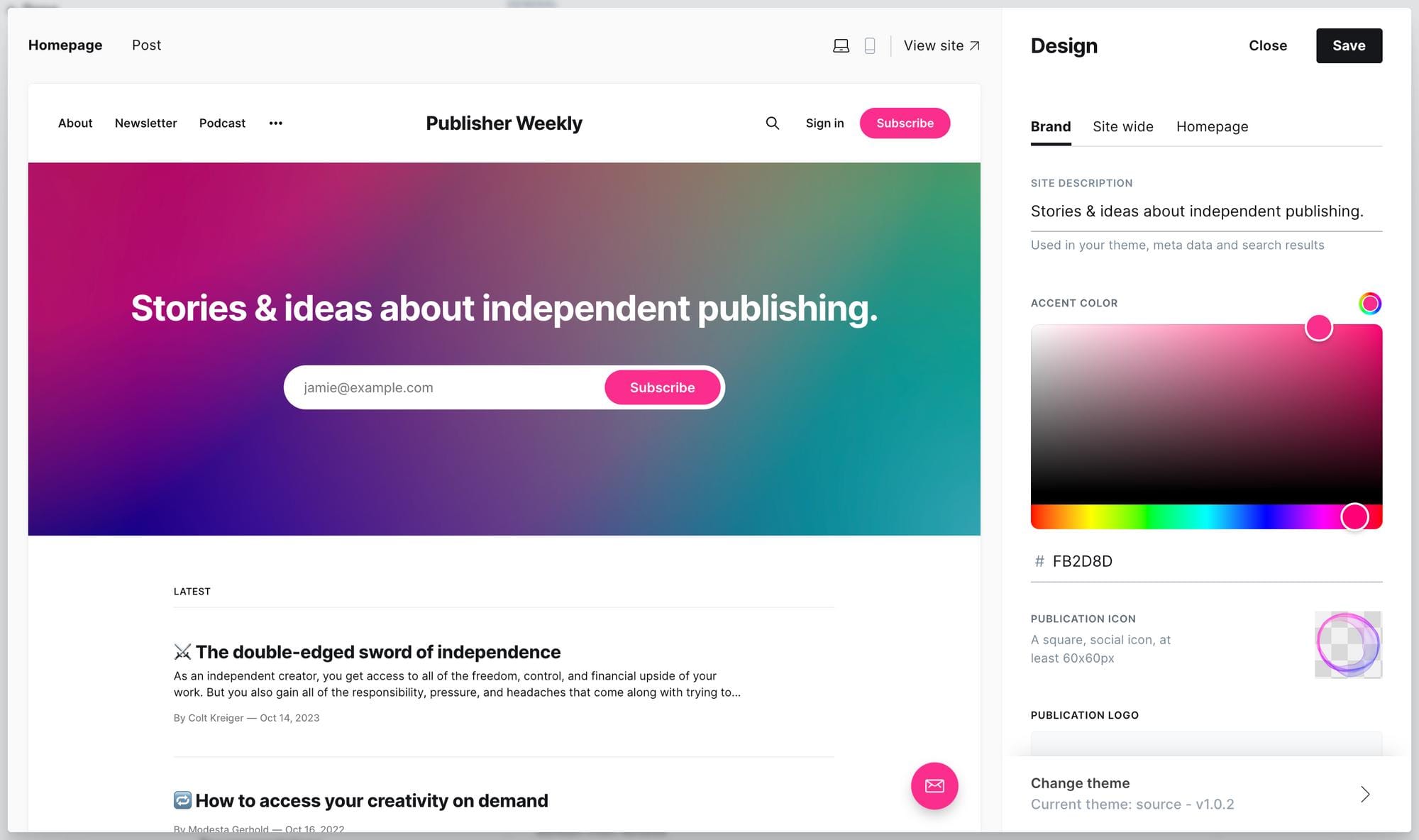
The fastest way to personalize your website is through the branding settings.
Go to:
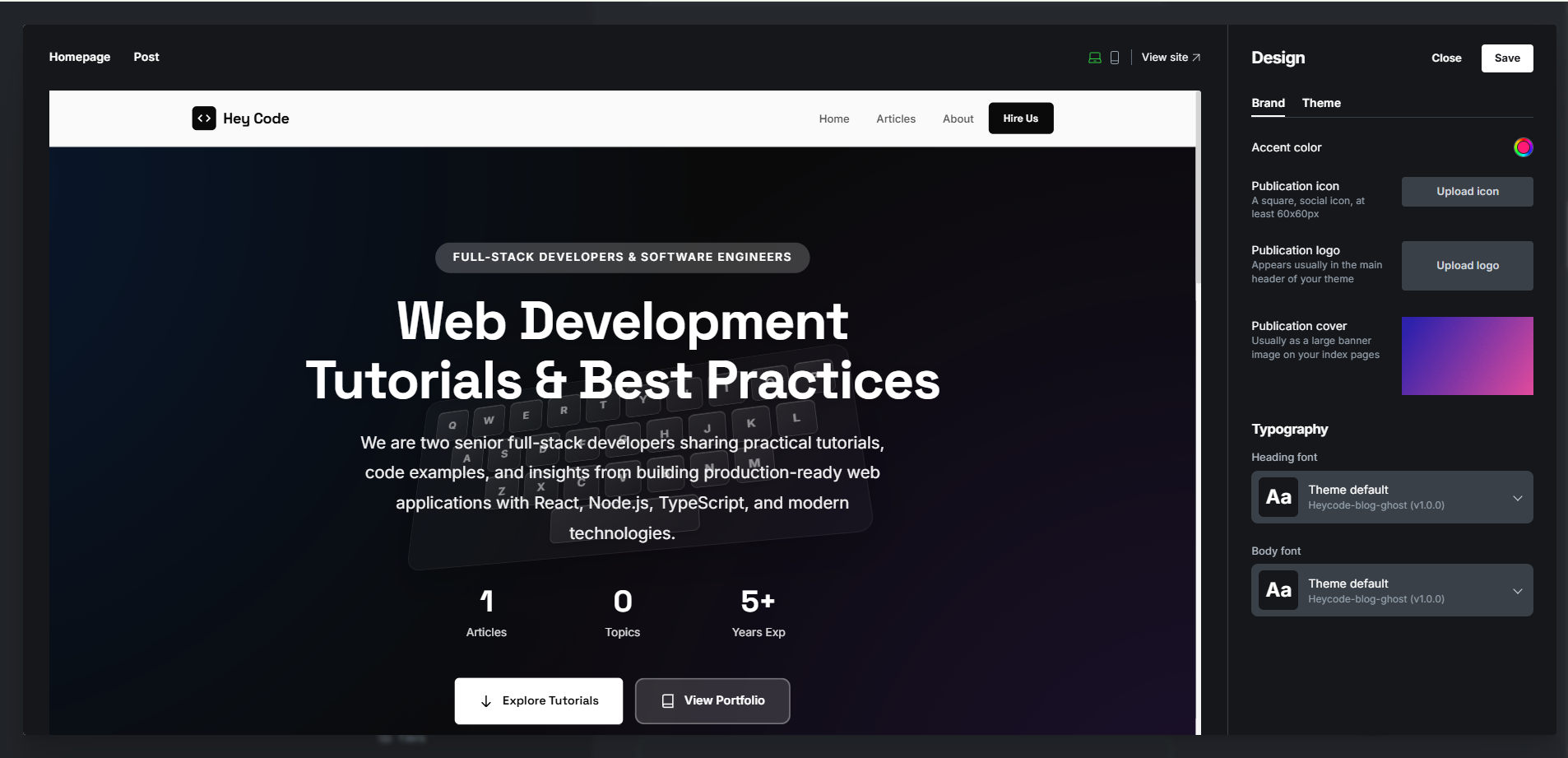
Settings → BrandingFrom there, you can customize:
- logo
- site title
- description
- accent color
- publication icon
- cover image
These changes instantly update your website design.
2. Customize Navigation Menus
Your navigation menu helps visitors explore your website.
Open:
Settings → NavigationYou can add:
- Home
- About
- Contact
- Membership
- Archive
- Categories
- External links
Well-structured navigation improves both user experience and SEO.
3. Upload a New Ghost Theme
Changing your theme completely transforms your website style.
Modern Ghost themes include:
- homepage layouts
- dark mode
- memberships
- newsletter sections
- featured posts
- portfolio layouts
- magazine grids
To install a theme:
Settings → Design & Branding → Change Theme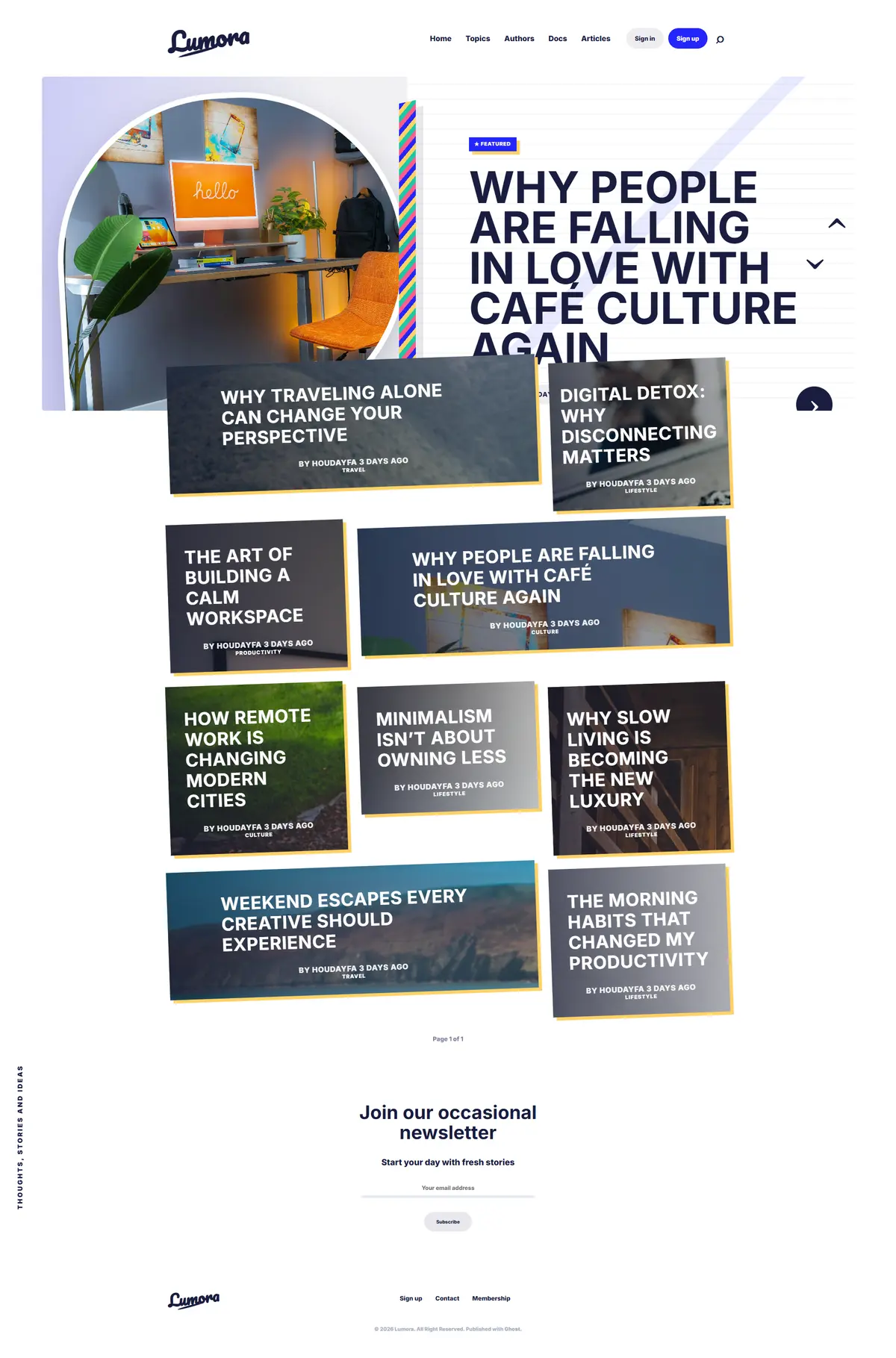
Looking for professionally designed Ghost themes?
Explore modern layouts built for:
- blogs
- magazines
- portfolios
- creators
- newsletters
👉 Browse premium Ghost themes at https://ghostheme.com/
4. Create Beautiful Homepage Content
A great homepage makes your website feel professional.
You can customize your homepage using:
- featured posts
- featured images
- tags
- author sections
- custom pages
- newsletters
- membership blocks
High-quality visuals make a huge difference.
5. Use Tags to Organize Content
Tags help structure your content.
Examples:
- Tutorials
- Ghost CMS
- Design
- Productivity
- Inspiration
- Newsletters
Many Ghost themes automatically generate beautiful tag pages.
6. Customize Your Typography
Typography strongly affects readability and branding.
Good Ghost themes usually include:
- multiple font styles
- spacing options
- clean article layouts
- responsive typography
Choose fonts that match your niche and audience.
7. Add Membership Features
Ghost has built-in membership functionality.
You can:
- create free memberships
- create paid subscriptions
- send newsletters
- restrict premium content
All without installing extra plugins.
This is one of the biggest advantages of Ghost.
8. Create Custom Pages
Professional websites usually include:
- About
- Contact
- Membership
- Privacy Policy
- Archive
- Resources
These pages improve trust and navigation.
9. Optimize Featured Images
Images are essential for modern blog design.
Use:
- high-quality images
- consistent aspect ratios
- optimized file sizes
Large unoptimized images can slow down your website.
10. Customize Email Newsletters
Ghost includes native newsletter functionality.
You can customize:
- email name
- logo
- colors
- subscription forms
This allows creators to build an audience directly inside Ghost.
Why Ghost Is Great for No-Code Publishing
Unlike many platforms filled with plugins and complex builders, Ghost focuses on simplicity.
You can create:
- fast websites
- clean designs
- memberships
- premium newsletters
- modern blogs
—all with minimal technical knowledge.
Final Thoughts
Customizing a Ghost website without coding is easier than many people think.
With the right theme and proper branding, you can create a professional website in just a few hours.
Focus on:
- clean design
- strong typography
- organized navigation
- high-quality content
—and your Ghost website will immediately feel more premium and professional.
Explore More Ghost Resources
Looking for modern Ghost themes, tutorials, and inspiration?
Discover premium Ghost themes designed for:
- speed
- SEO
- memberships
- creators
- magazines
👉 Explore the collection at https://ghostheme.com/